Snapchat Pixel & Conversions API
SonoTrix add-on for CS-Cart that loads the Snap Pixel in the browser and sends Conversions API (CAPI) events from your server (especially Purchase).
What you need from Snapchat
- A Snap Pixel ID
- A long-lived CAPI Access Token from Ads Manager Business Details (Organization Admin)
Install the add-on
- Download the Snapchat Pixel & Conversions API package.
- In CS-Cart admin go to Add-ons → Manage add-ons.
- Upload, install, and enable the add-on.
See also: How to Install CS-Cart Add-ons.
Part A — Snapchat Ads Manager setup
Step 1: Create or open your Snap Pixel
- Sign in to Snapchat Ads Manager.
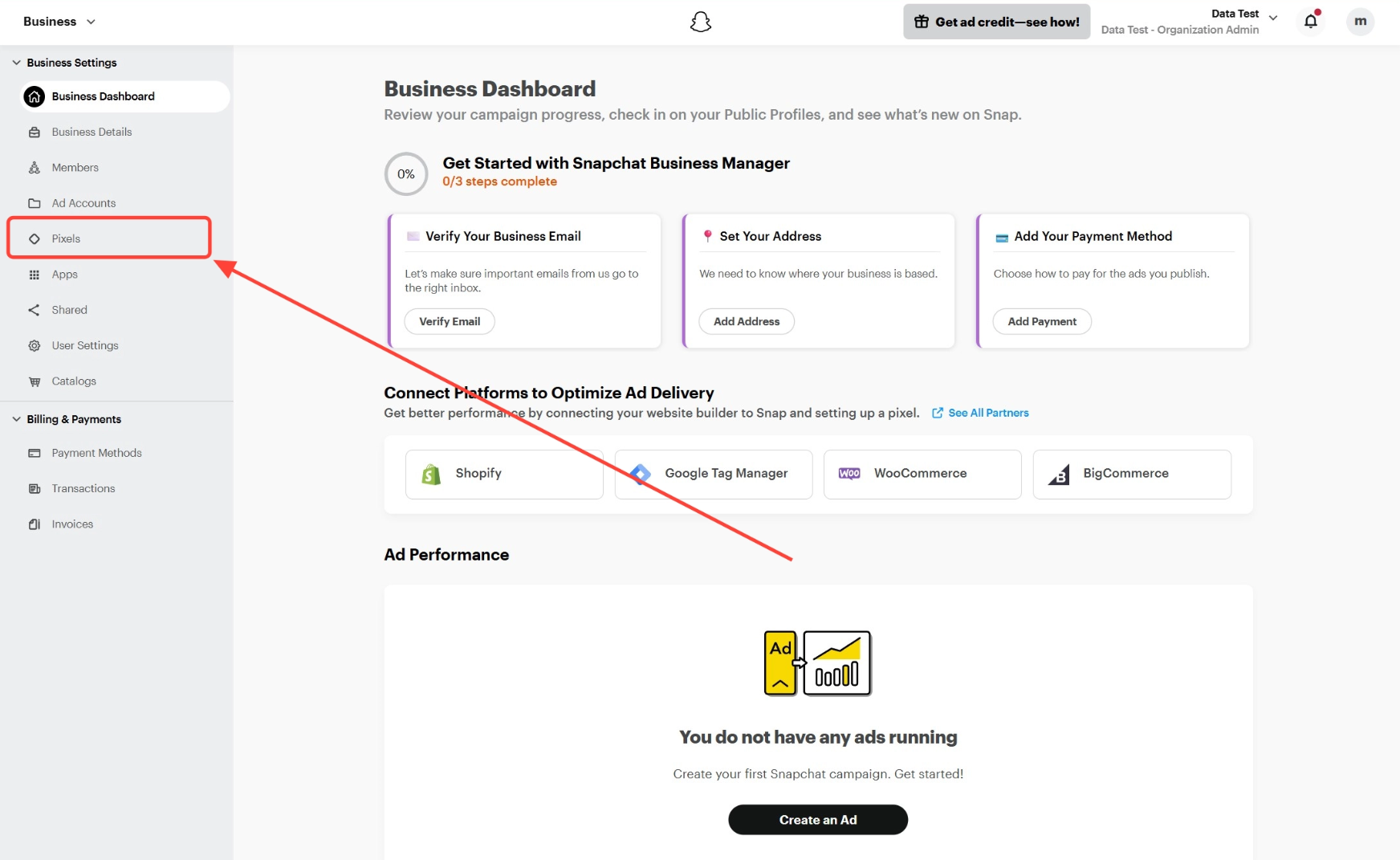
- Open Events Manager → Pixels (or Pixels in the left menu).
- If you already have a pixel, open it. If not, click Create Pixel, name it, and create it.
Step 2: Copy the Snap Pixel ID
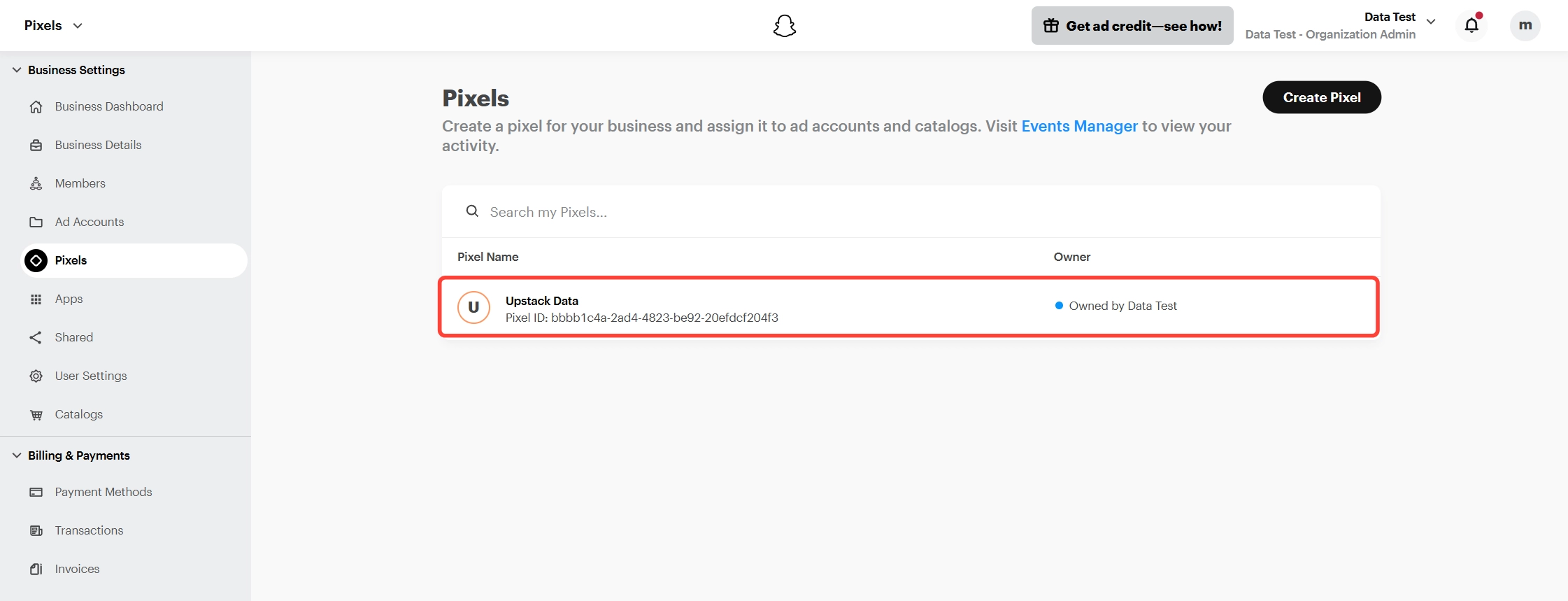
The Pixel ID appears under the pixel name (UUID format). Copy it for the add-on Snap Pixel ID field.
Step 3: Generate a Conversions API token
You must be an Organization Admin.
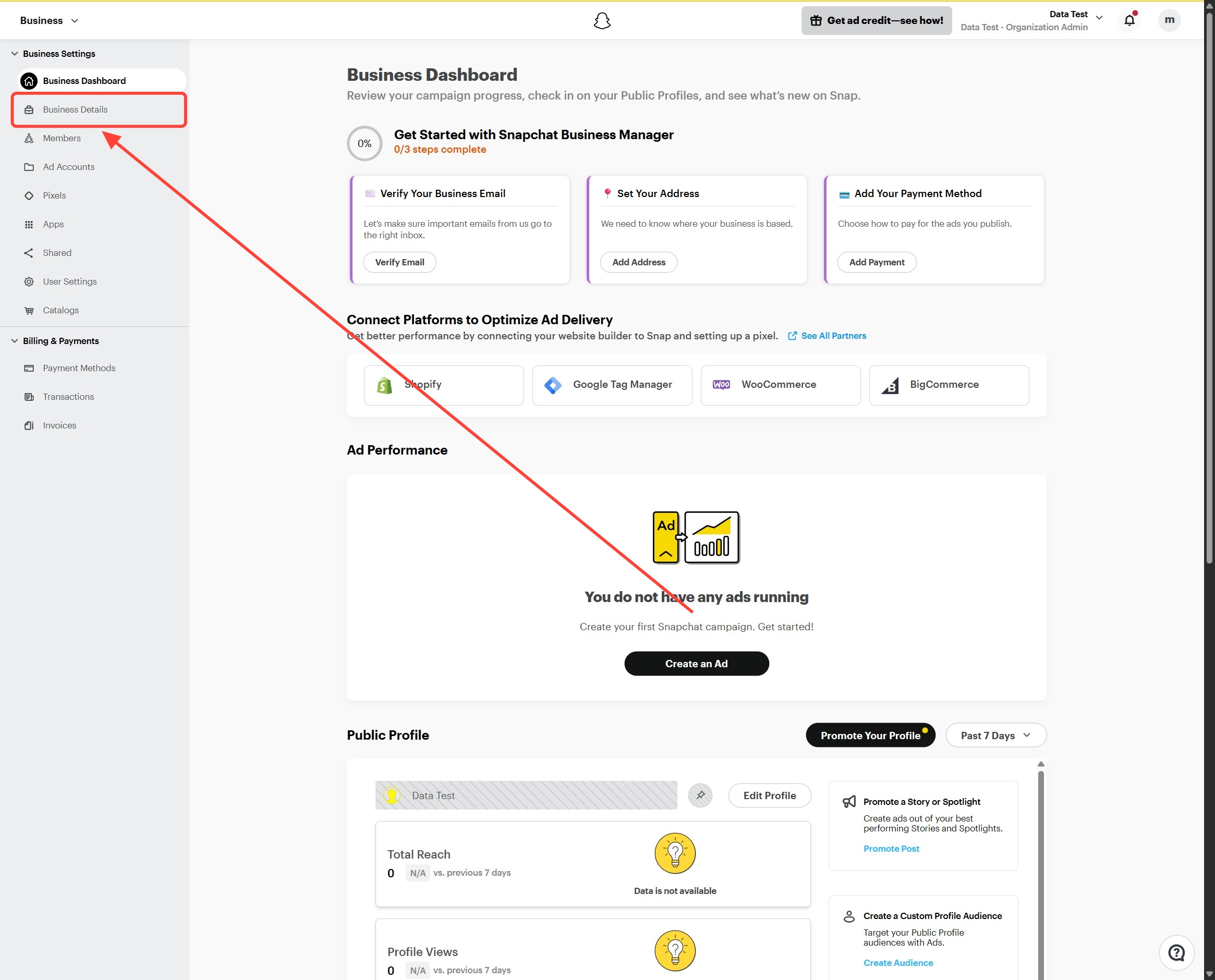
- In Ads Manager open the menu and go to Business Details (Business Dashboard).
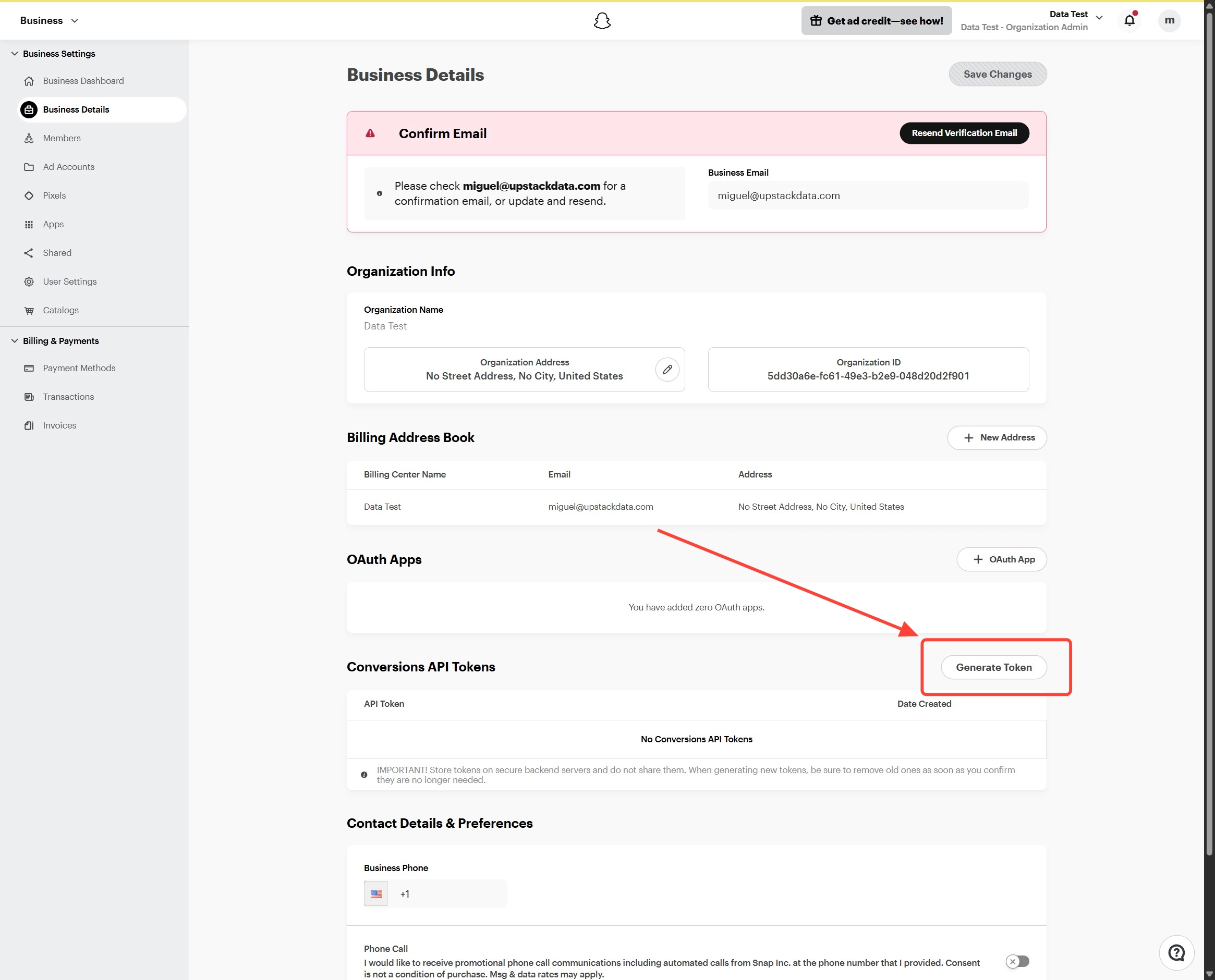
- Find Conversions API Tokens under the OAuth Apps area.
- Click Generate Token.
- Copy the token immediately and store it securely (shown once).
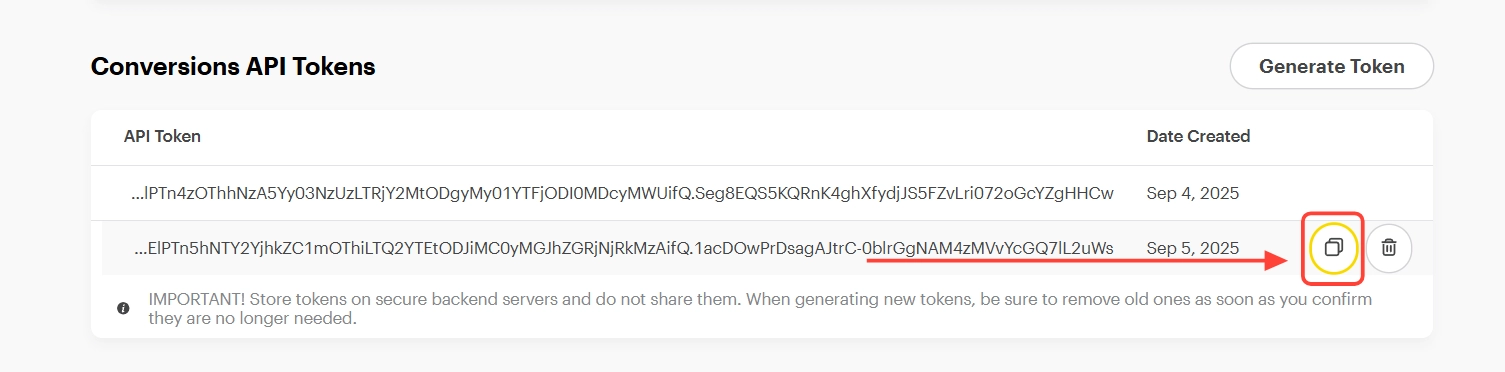
Official help: Activate Access to Conversions API.
Part B — Configure the CS-Cart add-on
Go to Add-ons → Manage add-ons → Snapchat Pixel & Conversions API → Settings.
Pixel Credentials
- Paste Snap Pixel ID.
- Paste CAPI Access Token.
- Save. (Leave the token blank on later saves if you only want to keep the existing token.)
Pixel Events (browser)
Enable the browser events you need:
- PAGE_VIEW
- VIEW_CONTENT
- ADD_CART
- PURCHASE
Conversion API Events (server)
Enable PURCHASE (and any other server events shown) so completed orders still reach Snapchat when the browser tag is blocked.
Storefronts Pixels
Per storefront:
- Disabled
- Default (main credentials)
- Custom (override Pixel ID and CAPI token)
Verify
- Visit the storefront and complete a test purchase.
- In Snapchat Events Manager / pixel diagnostics, confirm PAGE_VIEW and PURCHASE (browser and/or server).
- Keep the CAPI token private; rotate it in Business Details if it may have been exposed.